
On this page
A Colombian business may receive Wompi credentials and gain access to Bancolombia payment options under its merchant agreement. Genius Checkout connects that Wompi configuration to the software where the business sells.
The connection does not turn a bank account into a gateway credential. Wompi must approve the merchant and issue the test and production keys used by the hosted checkout.
Last reviewed: September 25, 2026.
Identify the product Wompi approved
Ask Wompi which model and payment methods apply to the account. Record the legal merchant name, COP processing capability, settlement destination, refund rights, and production activation status.
Wompi's Colombia documentation includes these Bancolombia-linked methods:
- Botón de Transferencia Bancolombia for eligible savings or current accounts.
- Bancolombia QR for eligible natural-person accounts and Nequi users.
- Cash payment through Bancolombia correspondents.
- Puntos Colombia and BNPL Bancolombia where the merchant qualifies.
The hosted checkout controls the final list shown to a buyer. Genius Checkout must not promise a method that Wompi has not enabled.
Place the payment step after the commercial decision
A customer first chooses the product, appointment, membership, room, event, or service. The selling system sends the amount, currency, reference, and supported customer details to Genius Checkout. Genius Checkout creates a unique attempt and sends the buyer to Wompi.
After Wompi returns a result, Genius Checkout verifies it and updates the originating software. This structure lets the business use the right sales system without giving up its Colombian payment route.
Choose the software connection
- Use WooCommerce for a product catalog and WordPress checkout.
- Use HighLevel for funnels, CRM follow-up, agencies, and service sales.
- Use Ecwid for an embedded storefront.
- Use payment links for invoices, deposits, and sales made through chat.
- Use the Genius Checkout API for a custom application.
Keep transaction and settlement records separate
The order record answers what the customer bought. The Genius Checkout transaction records the payment attempt. Wompi provides the provider reference, while the bank settlement report confirms when funds reached the merchant account.
Staff should reconcile all four references. A support agent should never change a failed transaction into a successful one after a retry. The retry needs its own session and transaction ID.
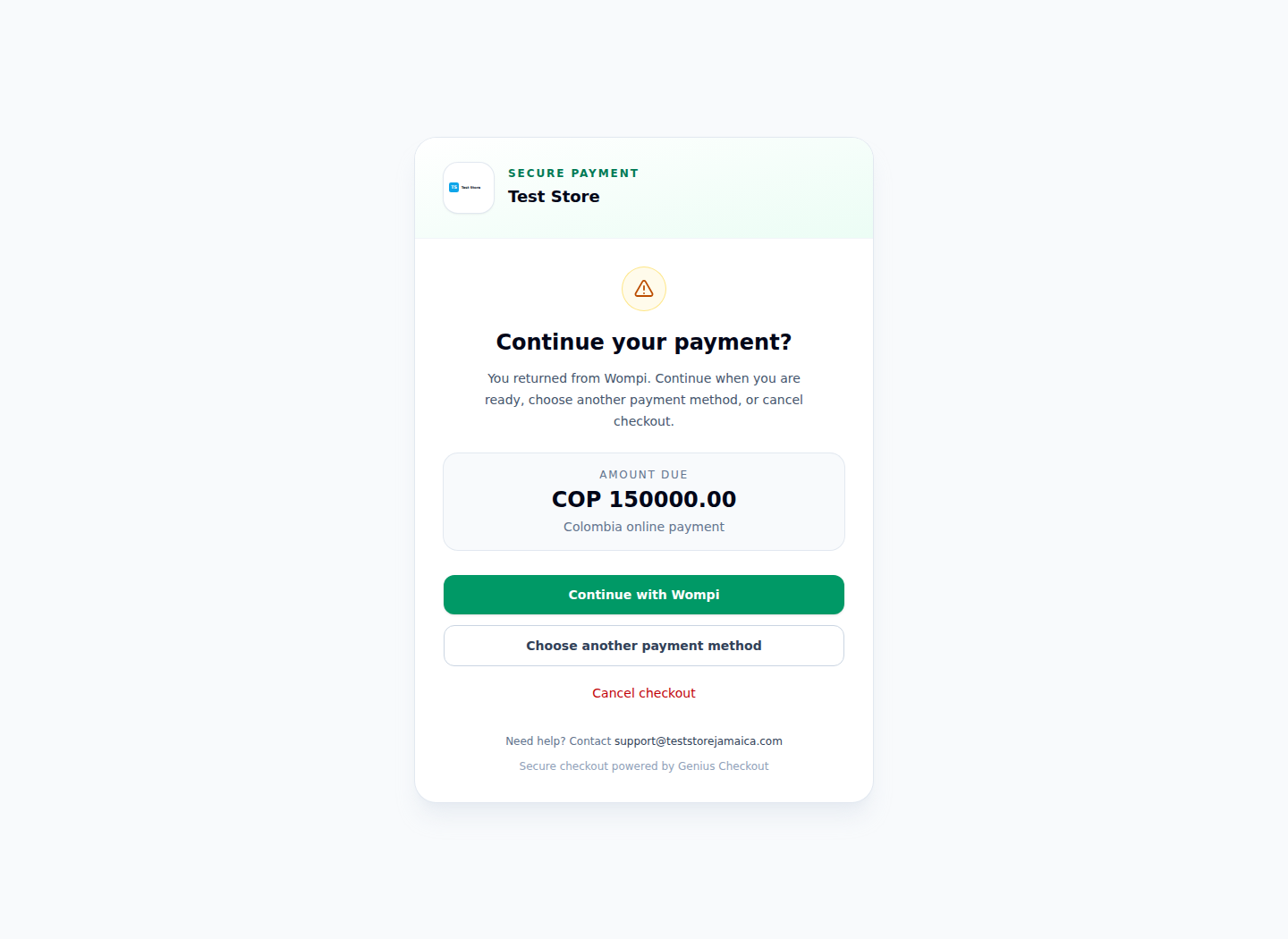
The Test Store screenshot shows the Wompi-specific return path without unrelated gateways.
Test the Bancolombia buyer journeys you advertise
Run controlled tests for each enabled method. A transfer or QR flow may remain pending until the buyer finishes in another app. A cash-correspondent intention can take longer. Confirm the expiration time, cancellation behavior, callback delivery, final order status, and receipt content.
Use Spanish customer-facing text for a Colombian campaign. Genius Checkout can render its own checkout and return pages in Spanish. Wompi's hosted page receives Spanish or English according to the resolved buyer locale.
Sources and next step
- Wompi Colombia payment-method documentation
- Wompi online-payment products
- Genius Checkout Wompi overview
Book a connection review with the Wompi credential pack and the list of Bancolombia methods enabled for your business.