
Colombian payment gateway
Connect Wompi and local Colombian payment methods
Connect Wompi Web Checkout to supported software and offer enabled Colombian payment methods such as cards, PSE, and Nequi.
The connection
Wompi and Genius Checkout
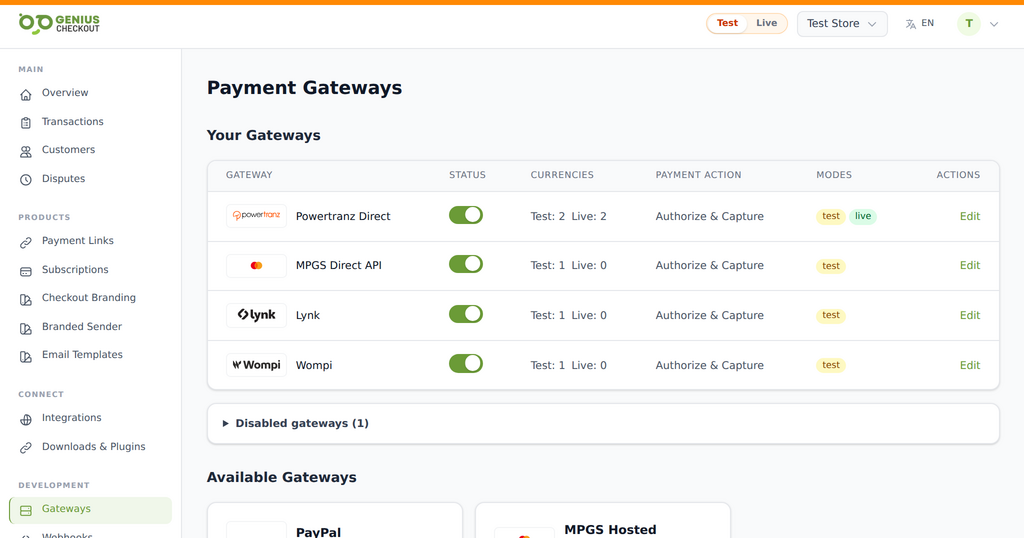
Genius Checkout connects Wompi Web Checkout to supported software so Colombian merchants can offer the payment methods enabled on their Wompi account. The buyer completes the provider-controlled flow and Genius Checkout returns the result to the originating platform.
Available methods and transaction behavior depend on the merchant account, country configuration, currency, and Wompi product settings.
Available workflow
What the connection supports
- One-time payments through a Genius Checkout hosted checkout
- Transaction records and payment status in one merchant dashboard
- Refund, void, and capture actions when the gateway and payment state allow them
- Webhooks and integration callbacks for supported software platforms
- Presentation of Wompi-supported local methods in the provider checkout
- Locale handoff for supported English and Spanish buyer journeys
Provider methods
Payment methods documented by Wompi
The provider decides which methods each merchant and transaction can use. Confirm the final list in a controlled checkout test.
- Credit and debit cards, including Visa and Mastercard
- Bancolombia Transfer Button
- PSE bank transfers
- Nequi
- Cash payments at Bancolombia correspondents
- Puntos Colombia (PCOL)
- Bancolombia financing
- DaviPlata
- SU+ Pay
Software connections
Where you can use Wompi
Configure the approved payment service once in Genius Checkout, then connect and test each business workflow independently.
WooCommerce
Connect checkout, order status, compatible subscriptions, and supported post-payment actions through the WordPress plugin.
Explore the connection 02HighLevel
Collect payments from supported funnels, products, and customer journeys with the marketplace payment provider.
Explore the connection 03Ecwid
Send storefront orders into a secure hosted payment flow and return the result to the originating order.
Explore the connection 04GiveWP
Accept one-time and compatible recurring donations through supported WordPress donation forms.
Explore the connection 05Payment links and QR codes
Collect remote payments without requiring a full ecommerce storefront.
Explore the connection 06Custom applications
Use the Genius Checkout API for approved custom platforms and business workflows.
Explore the connectionImplementation path
Connect without guessing at the gateway
Use the provider details issued for the merchant account. Test and live credentials must stay in their matching environments.
- 01
Connect your merchant account
Add the credentials supplied by your bank, gateway, or wallet provider to Genius Checkout. Test and live credentials stay separate.
- 02
Connect the software
Install or authorize the Genius Checkout integration for the platform. The connection keeps gateway credentials outside the store or CRM.
- 03
Run a controlled test
Use the approved test mode, verify the return flow and order status, then repeat the checklist in live mode with a permitted low-value transaction.
Before you start
What you need
Keep credentials out of email and screenshots. Enter them only inside the secure merchant configuration.
- An active Wompi merchant account
- Public, private, event, and integrity credentials required by the selected environment
- Payment methods enabled by Wompi for the merchant
Merchant questions
Answers before you connect
Does one Wompi connection enable every Colombian method?
The checkout can show only the methods Wompi has enabled for that merchant, transaction, and currency. Confirm the account configuration before advertising a method.
Can the checkout display in English?
Genius Checkout passes the buyer locale into supported Wompi flows. Provider-hosted content still follows Wompi’s locale support and configuration.
Does Genius Checkout settle Wompi funds?
No. Wompi handles processing and settlement under its agreement with the merchant.
Ready to connect?