
Jamaican mobile wallet
Accept Lynk payments through Genius Checkout
Add Lynk wallet payments to supported websites, stores, payment links, and business software through Genius Checkout.
Conexão
Lynk e Genius Checkout
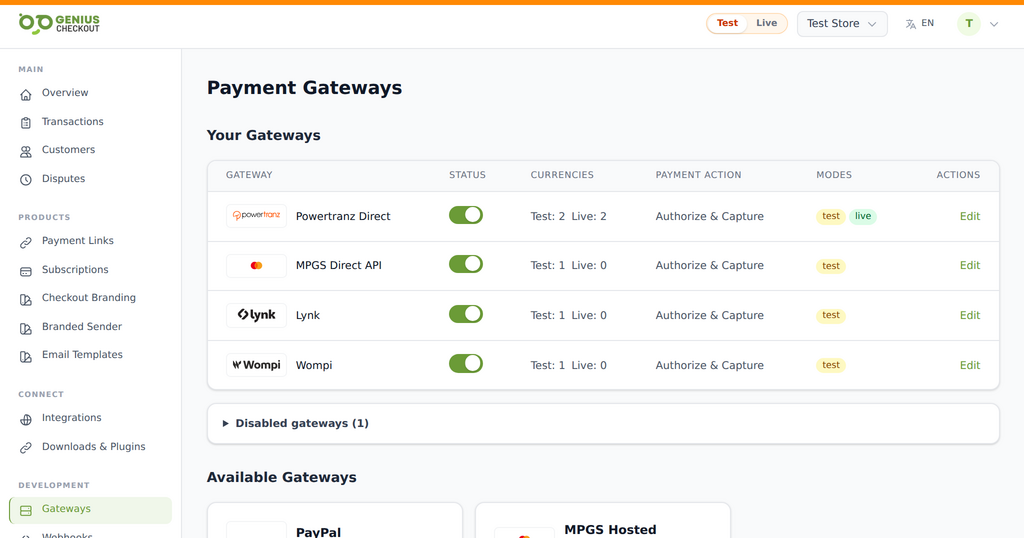
Genius Checkout lets an approved Lynk merchant offer a wallet payment alongside supported card gateways. Buyers use their Lynk account to approve the payment, while the merchant follows the result in Genius Checkout and the connected business platform.
Lynk follows a wallet approval flow. It should appear as its own payment method rather than as a card brand.
Fluxo disponível
Compatível com
- One-time payments through a Genius Checkout hosted checkout
- Transaction records and payment status in one merchant dashboard
- Refund, void, and capture actions when the gateway and payment state allow them
- Webhooks and integration callbacks for supported software platforms
- Lynk as a distinct checkout option beside configured card methods
- Payment-link and QR-code journeys for supported merchant use cases
Conexões de software
Onde usar esta conexão
Configure sua conta de pagamento uma vez e use-a nas integrações compatíveis.
WooCommerce
Connect checkout, order status, compatible subscriptions, and supported post-payment actions through the WordPress plugin.
Explorar WooCommerce 02HighLevel
Collect payments from supported funnels, products, and customer journeys with the marketplace payment provider.
Explorar HighLevel 03Ecwid
Send storefront orders into a secure hosted payment flow and return the result to the originating order.
Explorar Ecwid 04GiveWP
Accept one-time and compatible recurring donations through supported WordPress donation forms.
Explorar GiveWP 05Payment links and QR codes
Collect remote payments without requiring a full ecommerce storefront.
Explorar Payment links and QR codes 06Custom applications
Use the Genius Checkout API for approved custom platforms and business workflows.
Explorar Custom applicationsCaminho de implementação
Conecte sem adivinhação
Use as credenciais e configurações fornecidas pelo seu provedor de pagamentos.
- 01
Connect your merchant account
Add the credentials supplied by your bank, gateway, or wallet provider to Genius Checkout. Test and live credentials stay separate.
- 02
Connect the software
Install or authorize the Genius Checkout integration for the platform. The connection keeps gateway credentials outside the store or CRM.
- 03
Run a controlled test
Use the approved test mode, verify the return flow and order status, then repeat the checklist in live mode with a permitted low-value transaction.
Antes de começar
O que você vai precisar
Mantenha as credenciais de produção privadas e insira-as apenas no seu ambiente seguro de lojista.
- An approved Lynk merchant relationship
- Credentials supplied for the merchant integration
- A supported Genius Checkout integration or payment link
Dúvidas de lojistas
Respostas antes da conexão
Is Lynk a card gateway?
No. Lynk is a mobile wallet with its own buyer approval flow. Genius Checkout presents it as a separate payment method.
Can I offer Lynk and card payments together?
Yes. A merchant can configure Lynk beside a supported card gateway, subject to each account and integration configuration.
Can Lynk work on a payment link?
Genius Checkout can present Lynk on supported payment-link flows when the merchant has enabled and configured the Lynk gateway.
Pronto para conectar Lynk?